
1980s AI Photo Prompt: Find Your Eighties Look
Choose a 1980s AI photo prompt for a studio portrait, denim street scene, neon arcade or family-album look.
GPT Image 2.5 Generator workbench
Model
Find a 1980s AI photo prompt to copy
Soft studio portraits, neon arcades or flash-lit family albums: choose the mood first. Open an image for its full 1980s AI photo prompt, copy the text, or select Create similar to edit it here.
Denim street portrait
Neon arcade, 1984
A family-album moment
Yearbook portrait, 1986
Mall glamour portrait, 1987
Roller rink, 1987
Late-night diner, 1984
Mountain road trip, 1986
Living-room birthday, 1988
Choose a 1980s AI photo prompt by scene
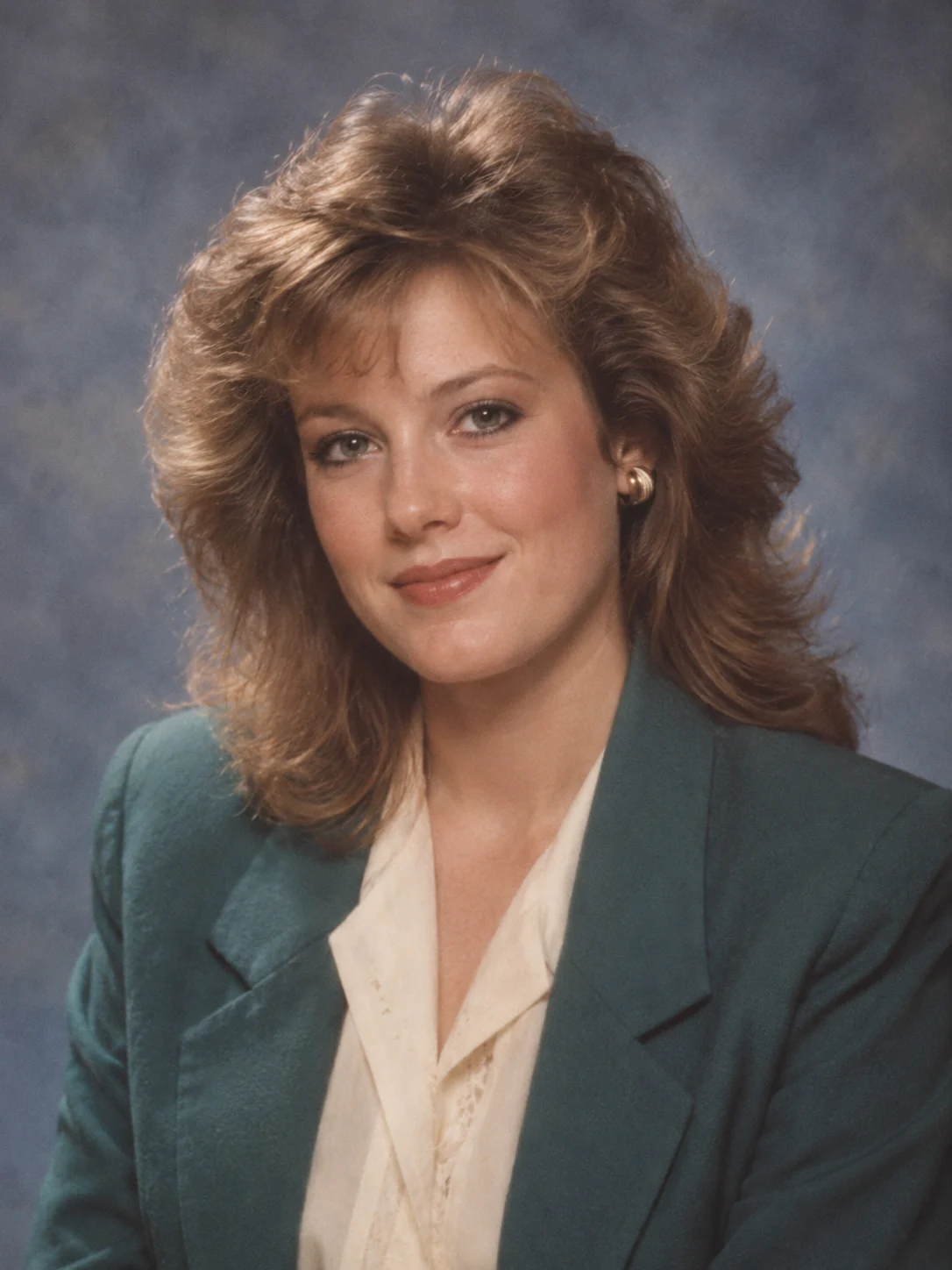
Studio portraits
Build your 1980s AI photo prompt around a mottled backdrop, feathered hair and soft key light for a composed portrait. Try the yearbook recipe for even flash or mall glamour for a pastel studio finish.
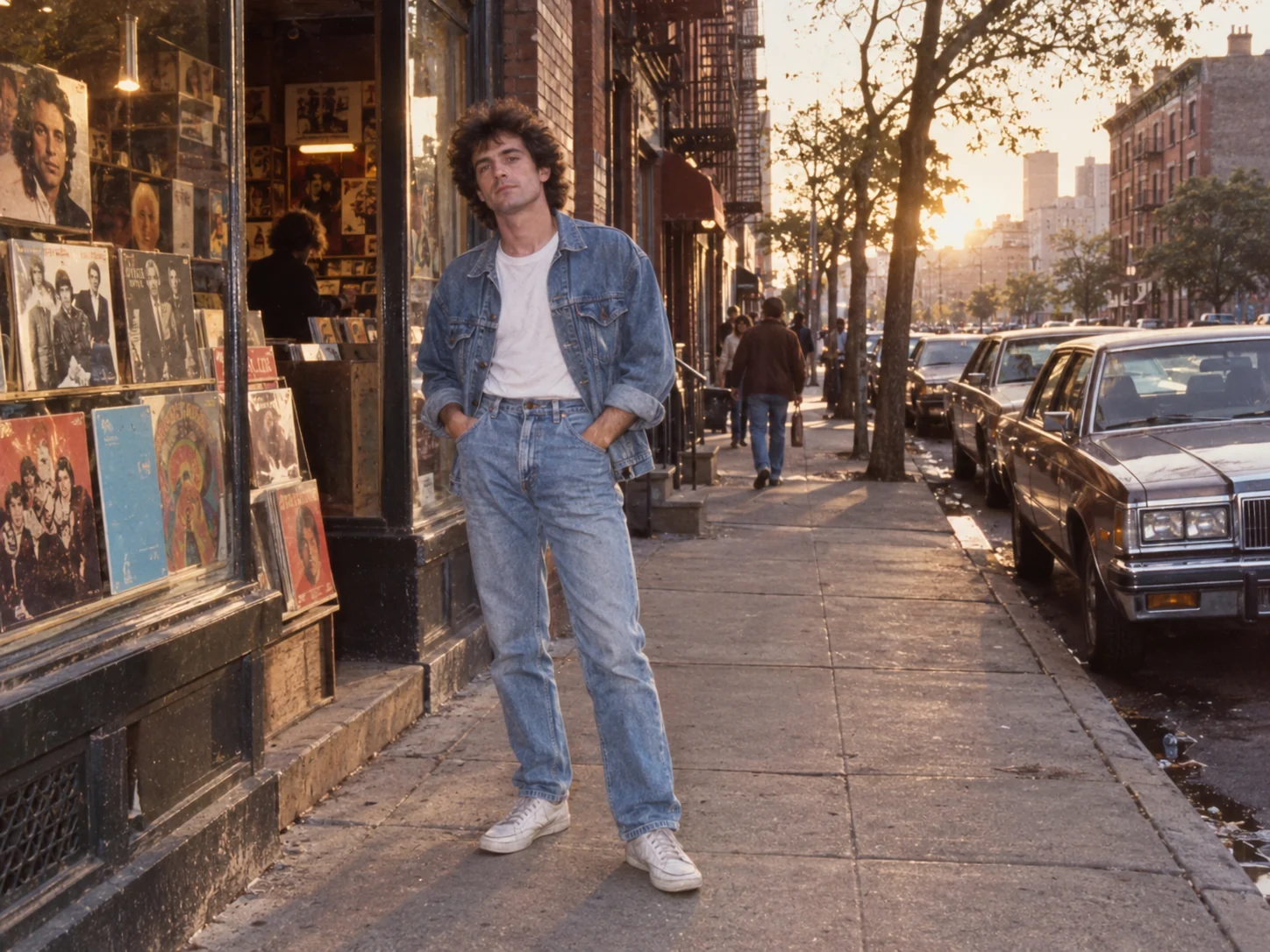
Denim street scenes
For an everyday 1980s AI photo prompt, start with denim, a record-shop window and a boxy period car. Warm afternoon light and gentle grain give the street scene a different mood from a studio portrait.
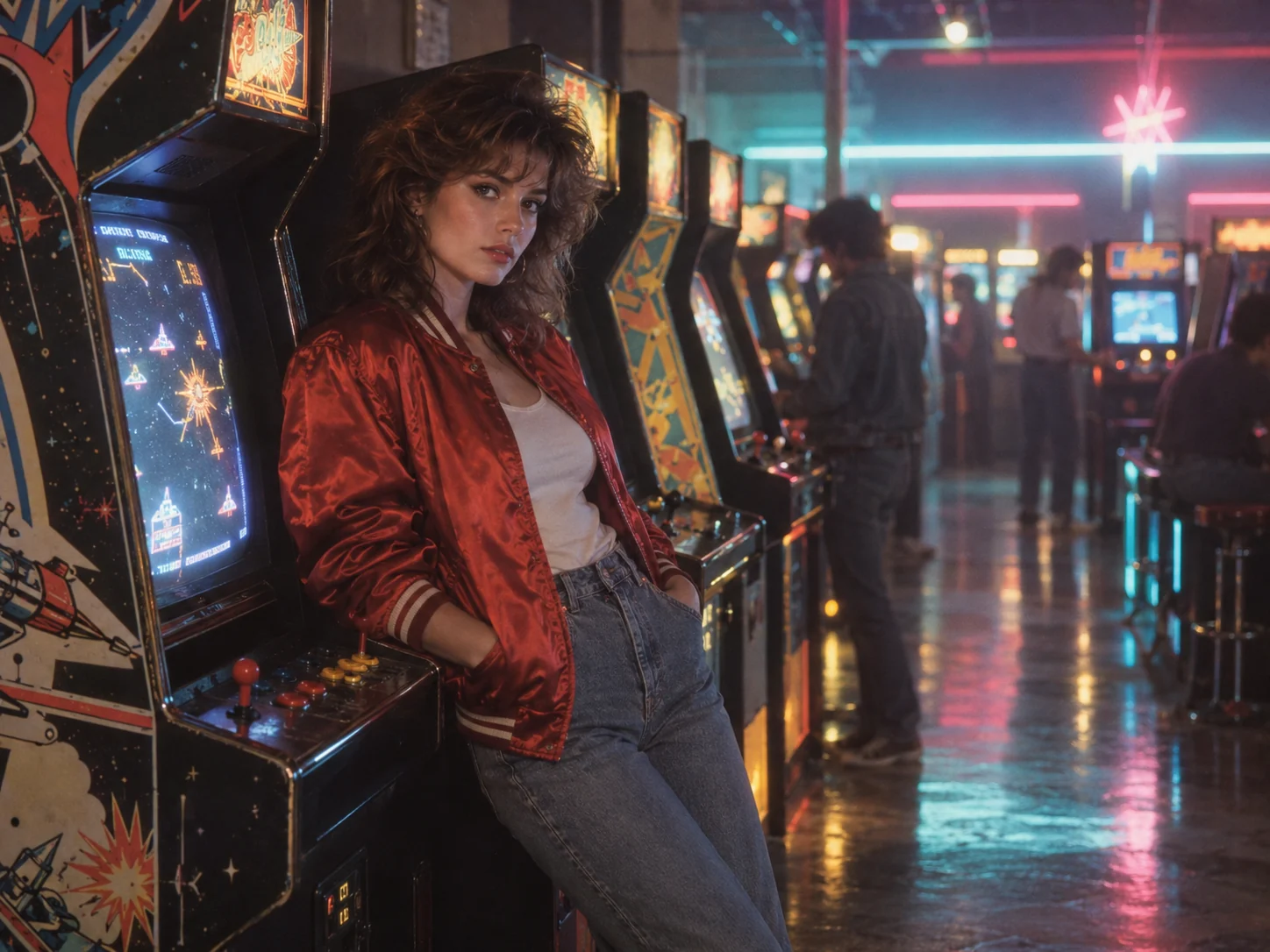
Neon arcade nights
Set your 1980s AI photo prompt in an arcade with cabinet glow, a satin bomber jacket and restrained neon reflections. Keep natural skin texture and eye-level framing so the image reads as a photograph.
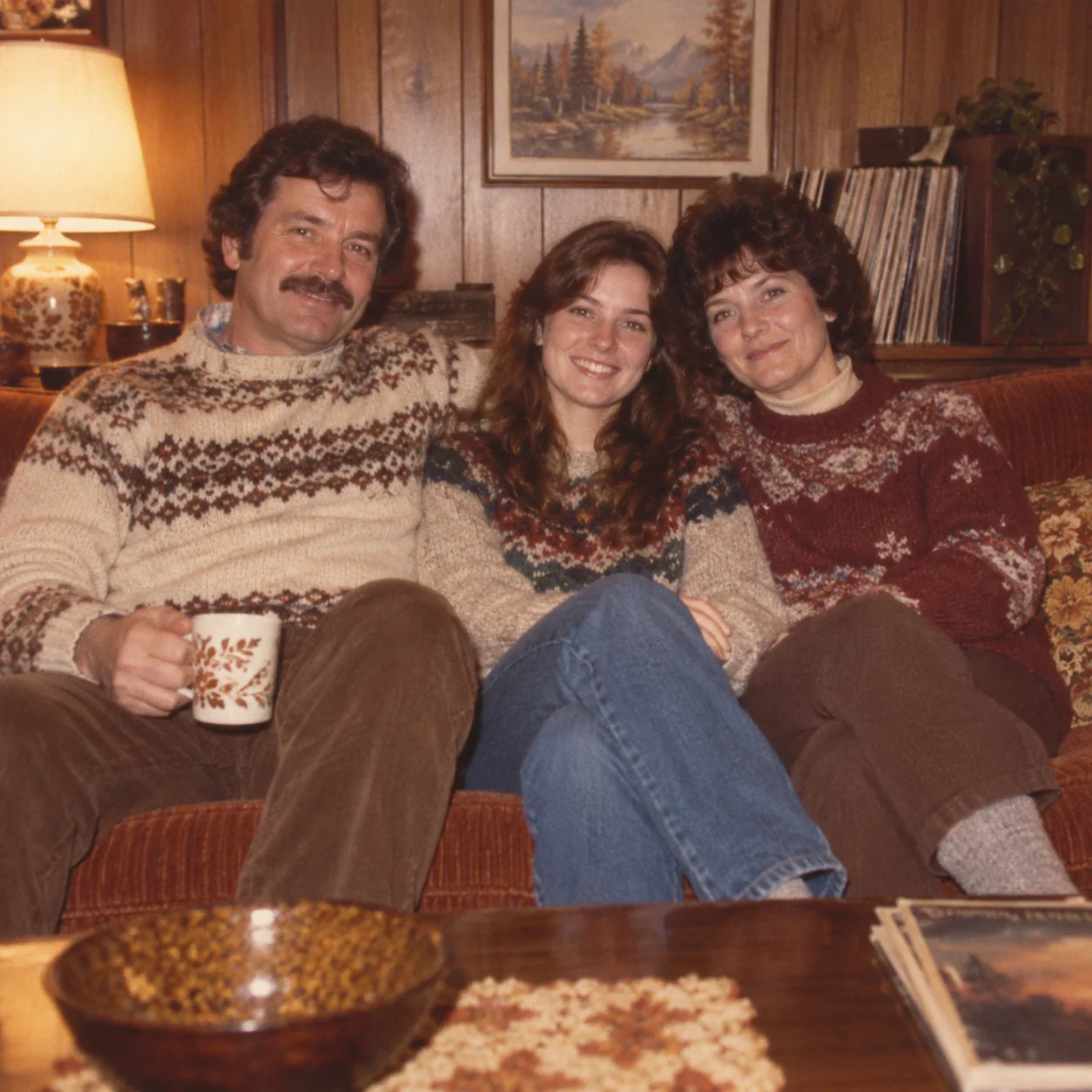
Warm family albums
A family-album 1980s AI photo prompt can combine patterned knitwear, a wood-paneled room and direct flash. Keep the number of people explicit; choose imperfect framing and faded print colors for an informal snapshot.
More images. Better value.
Choose monthly, yearly, or one-time credits.
Start free
$0
No payment details needed
Daily allowance · up to
3 images / day · 6 credits
A small daily allowance for occasional ideas.
- Daily credits expire; unused credits do not roll over
- Images saved for only 7 days
- Basic storage space
Pro
Recommended for regular creation
$20.00/month
Billed monthly
GPT Image 2 · 1K · up to
500 images
For individual creators making images throughout the month.
- Supports more models
- Credits valid for the paid month
- Permanent storage for all your assets
- Expanded workspace storage
- 1,000 credits each paid month
- Full downloads, no added watermark
Max
$80.00/month
Billed monthly
GPT Image 2 · 1K · up to
2,500 images
For higher-volume creation, more iterations, and larger image batches.
- Supports more models
- Credits valid for the paid month
- Permanent storage for all your assets
- Largest workspace storage
- 5,000 credits each paid month
- Full downloads, no added watermark
Start free
$0
No payment details needed
Daily allowance · up to
3 images / day · 6 credits
A small daily allowance for occasional ideas.
- Daily credits expire; unused credits do not roll over
- Images saved for only 7 days
- Basic storage space
Pro
Save 50%Recommended for regular creation
$10.00/month
$120.00 billed yearly
GPT Image 2 · 1K · up to
6,000 images
For individual creators making images throughout the month.
- Supports more models
- Annual credits valid for 12 months
- Permanent storage for all your assets
- Expanded workspace storage
- 12,000 credits delivered upfront each year
- Full downloads, no added watermark
Max
Save 50%$40.00/month
$480.00 billed yearly
GPT Image 2 · 1K · up to
30,000 images
For higher-volume creation, more iterations, and larger image batches.
- Supports more models
- Annual credits valid for 12 months
- Permanent storage for all your assets
- Largest workspace storage
- 60,000 credits delivered upfront each year
- Full downloads, no added watermark
Start free
$0
No payment details needed
Daily allowance · up to
3 images / day · 6 credits
A small daily allowance for occasional ideas.
- Daily credits expire; unused credits do not roll over
- Images saved for only 7 days
- Basic storage space
1,500 credits
$29.90
One-time payment
One purchase · up to
750 images with this pack
Add credits for a specific project without starting a subscription.
- Supports more models
- Credits valid for 180 days
- Permanent storage for all your assets
- Expanded workspace storage
- One-time packs do not renew automatically
- Full downloads, no added watermark
3,000 credits
$49.90
One-time payment
One purchase · up to
1,500 images with this pack
Add credits for a specific project without starting a subscription.
- Supports more models
- Credits valid for 180 days
- Permanent storage for all your assets
- Largest workspace storage
- One-time packs do not renew automatically
- Full downloads, no added watermark
80s photo prompt stories — fictional examples
Illustrative creator perspectives written for this page. These are fictional examples, not customer reviews.
Sophie H.
Fictional creator example
“I start with the year and setting, then add the hair, clothes, and light. Keeping those choices together gives me a clearer direction to adapt.”
Daniel R.
Fictional creator example
“For a record-shop scene, I describe the street and storefront separately from the outfit. That makes it easier to change the subject without losing the decade.”
Maya C.
Fictional creator example
“The arcade recipe helped me think about neon reflections and direct flash as separate choices. I can keep one and soften the other for a different mood.”
Alex T.
Fictional creator example
“A family-album look needs more than faded color. I add the room, knitwear, and warm indoor light, then remove modern details that distract.”
1980s AI photo prompt questions
How do I use a 1980s AI photo prompt from this gallery?
Open a photo to read the full recipe. Copy prompt gives you the text; Create similar fills this page’s generator with the prompt, model and supported output settings. Change the subject or scene, then select Create image when you are ready.
What should a 1980s AI photo prompt include?
Start with a year, person and setting. Add clothing, hairstyle, framing, light and a restrained film finish. For example, a 1986 yearbook portrait might pair a cream knit sweater with a mottled blue-gray backdrop and even flash; an arcade scene needs cabinet glow rather than the same studio lighting.
Can I use a 1980s AI photo prompt with my own photo?
Yes. Add a clear reference photo and replace the fictional subject in the recipe with “the person in the uploaded photo.” Ask to retain facial features, skin tone, expression and pose while changing the clothes, hair and setting. Reference editing depends on the selected model; compare the result with your original because an exact likeness is not guaranteed.
Which 1980s AI photo prompt suits the look I want?
Choose a yearbook or studio portrait for a composed avatar, mall glamour for soft pastel light, or denim street photography for an everyday snapshot. The roller rink, diner, road trip and birthday examples offer scenes with more action or people. Match the framing to your subject before adapting the recipe.
How do I keep modern objects out of a 1980s AI photo prompt?
Name the objects you want: a boxy period car, paper map, arcade cabinet or wood-paneled room. Add exclusions for smartphones, modern cars, flat-screen televisions and contemporary logos as relevant to that scene. If one slips into the result, revise that detail rather than adding a heavier vintage filter.
How can I make a 1980s AI photo prompt look less polished?
For a casual snapshot, ask for natural skin texture, direct compact-camera flash, fine irregular grain and slightly imperfect framing. Remove glossy fashion lighting or heavy beauty retouching from the recipe. For a studio portrait, keep the soft light but reduce diffusion if eyes or facial details look blurred.
Is copying a 1980s AI photo prompt free?
You can browse and copy the recipes without signing in or spending credits. Create similar only fills the generator; it does not submit a task. Creating an image uses the displayed credit quote for your chosen model and settings, and available credits depend on your account or guest allowance.
Will my image look exactly like the example?
The images are original creative illustrations, not model benchmarks or guaranteed outputs. The selected model, reference photo and prompt edits affect your result. Check the face, number of people, clothing and background before keeping it; adjust one detail at a time.
Which model should I choose?
Start with the model attached to the recipe, or select another available model in the generator. Check that it supports your reference photo and desired output settings. Different models interpret the same instructions differently, so review the displayed credit quote before creating.
Make a 1980s AI photo prompt your own
Load your favorite recipe, replace the subject and fine-tune the scene. Add a reference photo if you want to restyle yourself.